Cloud Computing Online Live Class by Experts
Our Training/Internship Process

Cloud Computing - Syllabus, Fees & Duration
Module 1. Introduction
Module 2. Manage Azure AD objects
- create users and groups
- manage user and group properties
- manage device settings
- perform bulk user updates
- manage guest accounts
- configure Azure AD Join
- configure self-service password reset
Module 3. Manage role-based access control (RBAC)
- create a custom role
- Provide access to Azure resources by assigning roles
- resource groups
- resources (VM, disk, etc.)
- interpret access assignments
- manage multiple directories
Module 4. Manage subscriptions and governance
- configure Azure policies
- configure resource locks
- apply tags
- manage subscriptions
- configure Cost Management
- configure management groups
Module 5. Manage storage accounts
- configure network access to storage accounts
- create and configure storage accounts
- generate shared access signature
- manage access keys
- implement Azure storage replication
- Configure Azure AD Authentication for a storage Account
Module 6. Manage data in Azure storage
- Export from Azure Job
- import into Azure job
- install and use Azure Storage Explorer
- copy data by using AZCopy
Module 7. Configure Azure files and Azure blob storage
- create an Azure file share
- create and configure Azure File Sync service
- configure Azure blob storage
- configure storage tiers for Azure blobs
Module 8. Configure VMs for high availability and scalability
- configure high availability
- deploy and configure scale sets
- Automate deployment and configuration of VMs
- modify Azure Resource Manager (ARM) template
- configure VHD template
- deploy from template
- save a deployment as an ARM template
- Automate Configuration Management
Module 9. Create and configure VMs
- configure Azure Disk Encryption
- move VMs from one resource group to another
- manage VM sizes
- add data discs
- configure networking
- redeploy VMs
Module 10. Create and configure Containers
- create and configure Azure Kubernetes Service (AKS)
- create and configure Azure Container Instances (ACI)
Module 11. Create and configure Web Apps
- create and configure App Service
- create and configure App Service Plans
Module 12. Implement and manage virtual networking
- create and configure VNET peering
- configure private and public IP addresses, network routes, network interface, subnets, and virtual network
Module 13. Configure name resolution
- configure Azure DNS
- configure custom DNS settings
- Configure a private or public DNS
Module 14. None Secure access to Virtual Network
- create security rules
- associate an NSG to a subnet or network interface
- evaluate effective security rules
- deploy and configure Azure Firewall
- deploy and configure Azure Bastion Service
Module 15. Configure load balancing
- configure Application Gateway
- configure an internal load balancer
- configure load balancing rules
- configure a public load balancer
- troubleshoot load balancing
Module 16. Monitor and troubleshoot virtual networking
- monitor on-premises connectivity
- use Network Performance Monitor
- use Network Watcher
- troubleshoot external networking
- troubleshoot virtual network connectivity
Module 17. Integrate an on-premises network with an Azure virtual network
- create and configure Azure VPN Gateway
- create and configure VPNs
- configure ExpressRoute
- configure Azure Virtual WAN
Module 18. Monitor resources by using Azure Monitor
- configure and interpret metrics
- a analyze metrics across subscriptions
- configure Log Analytics
- query and analyses logs create a query
- set up alerts and actions
- Create and test alerts
- View alerts in Azure
- configure Application Insights
Module 19. Implement backup and recovery
- configure and review backup reports
- perform backup and restore operations by using Azure Backup
- create a Recovery Services Vault
- create and configure backup policy
- perform site-to-site recovery by using Azure Site Recovery
This syllabus is not final and can be customized as per needs/updates

AWS Technical Essentials
- Introduction and History of AWS
- AWS Infrastructure: Compute, Storage, Networking
- AWS Security, Identification and Access Management
- AWS Database
- AWS Management Tools
Virtual Private Cloud
- Introduction to Network Switches & Virtual Private Cloud
- VPC & Subnets
- Private and Public Subnets
- Internet Gateways, VPC Peering & NAT Gateways
- VPN Setup
- IP Addressing in AWS
Elastic Load Balancing & Auto Scaling
- Components and types of load balancing
- Auto scaling and its benefits
- Life cycle of auto scaling
- Components and policies of auto scaling
- Assignment : Configure Load Balancer, Auto scaling as per utilization in different situations
Storage
- Introduction to Block & Object storage mechanism
- Introduction to Elastic Block Store - EBS
- EBS Snapshots
- EBS Volume Types
- Instance Store Volumes
- Introduction to Simple Storage Service (S3)
- Features of S3
- Storage Types
- Static Website Hosting
- Versioning
- Life Cycle Policy
- Cross Region Replication
- Encryption
- Basics of Athena
- Introduction to EFS
- Connect a drive via network
- Share the drive among multiple servers
Amazon EC2
- EC2 Overview
- Amazon Machine Images(AMI)
- AMI creation
- Security groups
- Key pairs
- Assigning elastic IP address
- Elastic IP v/s Public IP
- Bootstrap Scripts
- Overview of Amazon EBSEBS Volume intro
- EBS vs Instance Store
- Upgrading EBS volume
- Management Tools Cloud
- Trail Cloud
- Watch Cloud
- Formation Trusted Advisor
- Assignment - Creating EC2, Various login ways from different OS, putty and putty keygen use, Assigning EIP, AMI assignment, Creating and restoring snapshot, snapshot to AMI, EC2Bootstrapping, Cloud formation & Cloud Watch assignments.
Identity & Access Management
- Understanding the IAM Policies
- IAM User, IAM Policy and IAM Role
Databases
- Introduction to Relational Databases
- Creating our first database structure in MySQL
- Getting started with DynamoDB
- Know about ElastiCache, Redshift
Domain Name System
- Introduction to DNS
- Understanding DNS Records
- Introduction to Route53
- Register a Domain using Route 53
- Manage DNS Hosts
Serverless Computing
- Serverless Introduction
- Lambda
- Setting up Server Auto Start with a Lambda Function
- Elastic Beanstalk
- Host a Sample PHP website using Elastic Beanstalk
AWS Encryptions
- AWS Security
- KMS Overview
- SSM Parameter Store
- Could
- HSM
Migration Service and Disaster Recovery
- Database Migration Services
- DataSync Overview
- AWS Backups
Monitoring
- Understanding CloudWatch
- Setup Alarms for Matrix changes
- Auditing AWS environment with CloudTrail
- Schedule Event Rules using Target based services
-AWS Certification Exam Readiness Workshop Solutions Architect Associate Level
- Testing center information and expectations
- Examination Review and Structure
- Content domains and query breakdown
- Topics and concepts with content domains
- Question structure and interpretation techniques
- Post Class - Practice Exam Questions
- 01 including the actual exam voucher
This syllabus is not final and can be customized as per needs/updates
Module 1: Overview Cloud & Google Cloud Platform
- Cloud overview & Characteristics
- Cloud Service Model (IAAS, PAAS, SAAS)
- Cloud Deployment Model (Public, Private, Hybrid)
- Google Cloud Plateform (GCP) Infrastructure Overview
- Create GCP Account & Console Overview
- Organizations, Folder, Project, Resource & Billing
- Google Cloud Architecture Framework
Module 2: Virtual Machines
- Compute Engine (VM): Types & Options
- VM Instance Lifecycle & Common Operations
- Machine Types & Compute Options (VCPU And Memory) In Compute Engine
- Images & Snapshots
- Disk Types: Local SSD, Persistent & Balanced
Module 3: Virtual Networks
- Virtual Private Cloud (VPC) & Types, Subnets
- Ip Addresses (Public/Private), Nic
- Routes & Route Table
- Firewalls
- Network Topology Options
Module 4: Cloud IAM
- IAM Basic: Authentication, Authorization & MFA
- Roles, Members, Service Account, Policy
- Resource Hierarchy
- Cloud IAM Best Practices
Module 5: Data Storage Services
- Google Cloud Storage Overview & Structure
- Storage Classes, Versioning & Lifecycle Policies
- Cloud SQL For Database (MySQL, Postgresql and SQL Server)
- Cloud Spanner: Fully Managed Relational DB
- Cloud Datastore
- Cloud Bigtable: NOSQL Big Data Service
Module 6: App Engine, Functions, Cloud Run
- App Engine: Serverless Web Apps
- App Engine Environments: Standard Vs Flexible
- Cloud Functions: Events & Triggers
- Cloud Run: Serverless Containers
Module 7: Resource Management
- Cloud Resource Manager Overview
- Quotas, Labels, Names & Billing
Module 8: Resource Monitoring
- Stackdriver: Cloud Monitoring & Logging
- Logging, Error Reporting, Tracing, Debugging
Module 9: Interconnecting Networks
- Virtual Private Network (VPN) & Its Types
- VPC Peering (Public & Private)
- Cloud DNS, Cloud Interconnect & Cloud Router
Module 10: Load Balancing & Autoscaling
- Load Balancing Types: Internal, External, Global & Regional
- Https, Network, SSL & TCP Load Balancers
- Cross-Region and Content-Based Load Balancing
- Autoscaling Policies & Configuration
Module 11: Google Kubernetes Engine
- Microservices, Containers, Docker & Kubernetes
- GCP Kubernetes Engine (GKE), Understand the Relationship
Between Kubernetes
and Google Kubernetes Engine (GKE) - Kubernetes Architecture : Clusters, Node, Node Pools, Pods, Services
- Deploy & Manage Workloads on GKE
Module 12: Maintenance & Monitoring
- Capacity Planning and Cost Optimization
- Deployment, Monitoring and Alerting, And Incident Response
- Monitoring and Alerting
Module 13: Cloud Migrations
- Understanding Migration Used Cases
- Understanding Migration Tools and Process
This syllabus is not final and can be customized as per needs/updates
- Since 2001, Making IT Experts by Experts
- Duration: 90 Hours (Vary as per your skill)
- Course Fees
- Individual Live Classes (1:1)
- Batch Classes @ Low Fees
- Training on Your Time, Any Where
- Access to Recorded Videos
- Practical Internship on Projects
- 100% Placement Support by our jobsHybrid.com
- Training/Internship Certificate
- Agra
- Ahmedabad
- Alappuzha
- Aurangabad
- Bangalore
- Belgaum
- Bellary
- Bhubaneswar
- Chennai
- Cochin
- Coimbatore
- Delhi
- Dindigul
- Erode
- Gulbarga
- Guntur
- Gurgaon
- Haryana
- Hyderabad
- Idukki
- Indore
- Jaipur
- Kalyan
- Kannur
- Kanpur
- Kasaragod
- Kerala
- Kolkata
- Kollam
- Kottayam
- Kozhikode
- Lucknow
- Madurai
- Malappuram
- Mangaluru
- Mumbai
- Mysuru
- Nagpur
- Nashik
- Navi Mumbai
- Nizamabad
- Noida
- Palakkad
- Pathanamthitta
- Pune
- Punjab
- Salem
- Shimla
- Solapur
- Surat
- Thane
- Thanjavur
- Thirunelveli
- Thoothukudi
- Thrissur
- Tiruchirappalli
- Tiruppur
- Trivandrum
- Vadodara
- Varanasi
- Vellore
- Vijayawada
- Visakhapatnam
- Wayanad
Course Highlights

Our Locations
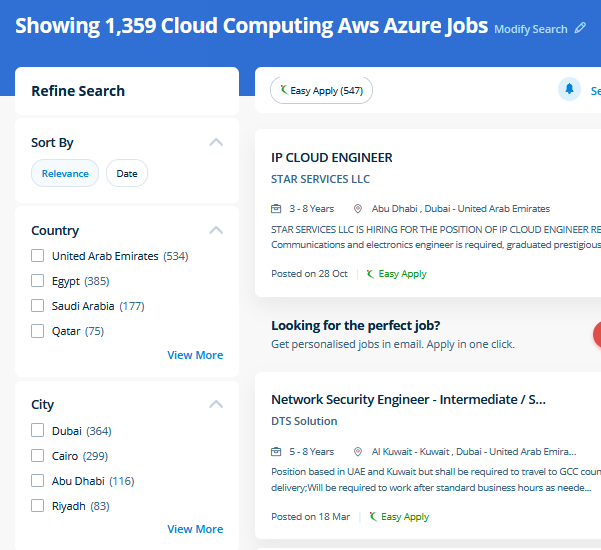
 The infrastructure is provided with security scanners, management and command centers, threat detection tools, binary authorization settings, and instruments for information loss shunning. Amazon web Service is Amazon. One advantage of moving to the AWS cloud is it will grow together with your business. These platforms enable organizations to share, store and access knowledge from anyplace. Google owns the most important data sets therefore this plays an enormous part for its machine acquisition models as they will train them with a lot a lot of knowledge than the other company, thus pushing the foundries for perfection and performance, as an example in analyzing images, written text, language and a lot more. Cloud platforms are seeing a much better adoption rate due to their ability to store data and provide merely accessible services. AWS Mobile Hub supports you to access appropriate and agreeable feature for your application. It provides high storage which can be used as independent or combinable. a number of the mandatory advantages are ease to use and maintaining the IT infrastructure and optimizing the operational price by pay per use payment model. Extensively regarding the four core areas of Azure Fundamentals.